Ragdoll Simulator Toys and Attractions
Get value from toys updates and classic attraction props.
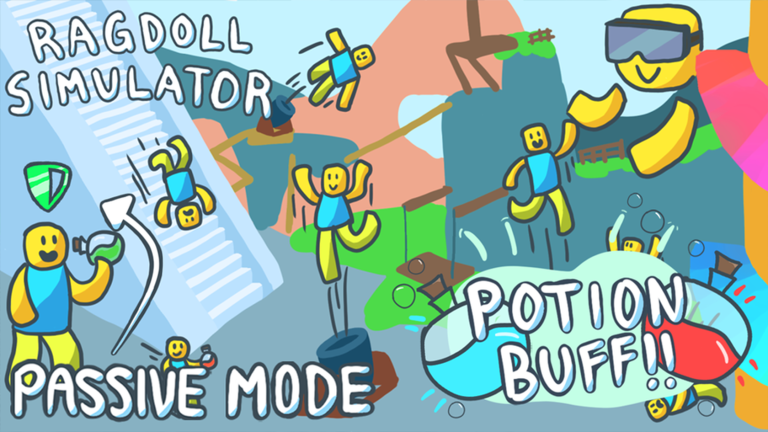
The Toys Update and earlier attraction fixes shaped how players spend time in Ragdoll Simulator. Boots, boxing gloves, and the rocketship received attention in major Studio Koi Koi notes. Backpack and car improvements arrived around Halloween performance work. This guide explains how to approach toys and attractions as playground machines — not battle-pass chores. The mid-article gameplay clip shows the hold-while-ragdolled energy that makes props funny.
Attractions mindset
Attractions are physics toys. Boots and boxing gloves exist to change collision comedy, not to climb a ranked ladder. The rocketship is both a fling machine and an event landmark for the Zombie Event Guide. Ride props, reset when stuck, and film the unexpected bounce instead of optimizing DPS that does not exist.
Toys Update habits
Open inventories carefully. Test one toy at a time so you know which prop caused a fling. Enable Safe Mode while learning hit reactions in public servers. When a toy disappoints, check whether you expected a grind reward instead of a sandbox gag — then recalibrate. Pair this page with Items Hub and Items Tier List.
Economy notes from Studio Koi Koi
Update messaging has included item price reductions meant to encourage experimentation. That does not mean every toy is mandatory. Permanent movement passes on Game Passes still solve different jobs (flight, speed, scale). Buy toys for humor; buy Jetpack when the taller map fights your patience.
Cars, backpack, and Halloween-era polish
Halloween patch notes called out backpack and cars improvements alongside performance work. Treat cars as traversal spice after you can already route via Explore the Map. Backpack UX matters when you juggle multiple toys mid-session — close menus before you ragdoll off a ledge.
Rocketship as dual-use prop
Practice launches for clips, then reuse the same plaza as a meetup pin for zombie nights near Jose’s Car Shop. Assign one friend as “rocket operator” and another as camera. Cross-link Landmarks so your party shares names for the same geometry.
Boots and boxing gloves drills
- Safe Mode on.
- Equip one prop.
- Try three intentional hits on a willing friend.
- Toggle ragdoll mid-interaction (the embedded video’s “hold while ragdolled” lesson).
- Reset and swap roles.
Creator tips
Film before-and-after clips of the same attraction with Safe Mode on versus off. Readers of Review love that contrast. Capture plinko stairs and infinite slide exits from Map Attractions in the same montage so viewers understand the playground loop.
When toys feel broken
Confirm you are on place 4950394908, not a sister ragdoll experience. Rejoin after Roblox client updates. Check Update History and Studio Koi Koi for known regressions. Scripts that claim to “fix toys” are unrelated malware magnets — see Script Safety.
Session plan (30 minutes)
Minutes 0–5: controls warm-up via Controls Cheatsheet.
Minutes 5–15: slide + plinko without toys.
Minutes 15–25: boots/gloves experiments.
Minutes 25–30: rocketship launches or car joyrides.
Toys reward curiosity. If you treat them like a checklist of mandatory unlocks, you will miss the joke that made the Toys Update land in the first place.
Backpack and equip discipline
Equip one toy, test for three minutes, unequip, reset. Stacking toys with Jetpack, potions, and Force Push creates noisy data — you will not know which system caused the funny bounce. Safe Mode on during evaluation keeps stranger physics out of your notes.
Boots and movement toys
Movement toys shine when you already know a clean slide line. They are poor teachers for players who still mash ragdoll on plinko stairs. Learn the free route via Explore the Map, then re-run the same line with boots equipped to feel the delta.
Boxing gloves and slapstick consent
Gloves are hilarious in friend servers and miserable when used as surprise spawn harassment. Agree on Safe Mode rules before glove nights. Public-server glove spam is why many players live behind the shield documented in Safe Mode and Anti-Gravity.
Rocketship as toy and landmark
The rocketship is both an attraction and the geography pin for zombie staging near Jose’s Car Shop. Do not treat launch comedy and event meetup as the same activity in the same minute. Stage the event first if that is the night’s goal; clown with launches afterward.
Treehouse toy synergy
Vertical toys feel best near the treehouse where footing and camera already demand attention. Practice Anti-Gravity recoveries on nearby ledges before you combine toys with tall drops. Map context: Map Attractions.
Cars, shops, and roleplay pockets
Jose’s Car Shop and car-related toys create roleplay pockets that are not combat arenas. If your group wants cars-and-chat, say so in voice and keep Rocket Launcher owners on a leash. Landmark clarity: Landmarks and Secrets.
Toys versus game passes
Toys and backpack systems are situational fun. Game passes are permanent amplifiers: Force Push 15, Jetpack 100, Speed 250, Jump 350, Rocket 350, Shrink 375, Growth 450, Strength 500. Do not buy Strength to “fix” a toy you have not tested. Compare on Game Passes Guide and Items Tier List.
Creator thumbnail tips
Shrink and Growth potions pair with toys for absurd scale jokes. Film with Safe Mode on so a random Force Push does not ruin the only good take. Watch the mid-article video for attraction energy, then shoot your own cleaner loop.
Toys troubleshooting tree
Toy failed to equip? Rejoin and confirm inventory UI. Toy equipped but no comedy? You may be testing on empty air — need a consenting friend or a dense prop. Toy feels nerfed after a patch? Check Update History before buying a scripted “fix.” Toy drama ruining the lobby? Safe Mode on, reset, switch attractions.
This troubleshooting tree keeps the Toys Update spirit playful. The embedded hold-while-ragdolled gameplay clip reminds you that timing is the toy, not a hidden stat sheet. When in doubt, return to the slide. Attractions exist to remix that core joy, not to replace it with menu anxiety.
Share your own troubleshooting discoveries with friends using precise prop names. “Gloves timing on rocketship pad” helps; “game broken” does not.
Frequently Asked Questions
Quick answers players ask before jumping into the sandbox.
What attractions were fixed in major updates?
Boots, boxing gloves, and the rocketship were called out in major update notes.
What was the Toys Update?
A May 2024 Studio Koi Koi update focused on toys systems.
Should I buy toys or passes first?
Learn free attractions first, then compare passes on the Tier List.
Do toys replace controls knowledge?
No. Controls and Safe Mode still matter more for session quality.
Where do I read map attraction detail?
Open the Map Attractions page.