Ragdoll Simulator Mobile Controls
Touch sticks, HUD tools, and phone-friendly ragdoll practice.
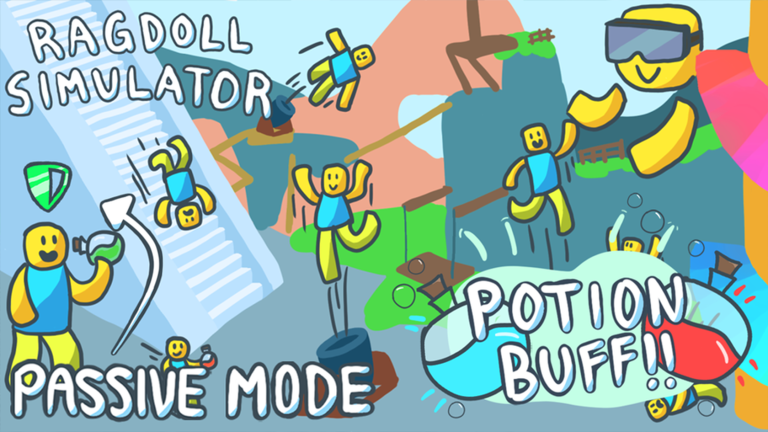
Playing Ragdoll Simulator on Roblox on a phone or tablet is a different contract than desktop. Frobulate publishes F, T, and R for keyboard players, but mobile clients rely on on-screen virtual sticks, touch buttons, and the same left HUD tools Studio Koi Koi placed for every platform. This page is the deep mobile reference for place 4950394908; cross-check PC Controls, Xbox Controls, and VR Controls when friends hop devices mid-session.
What mobile shares with every platform
Three systems stay consistent regardless of screen size. Safe Mode still lives on the shield button on the left HUD — tap it when Force Push spam or Rocket Launcher grief ruins your exploration. Reset still sits on the left side and helps you re-roll spawn context after Studio Koi Koi changed spawning so players start falling into the map. Anti-Gravity still exists as a verb, though the published hotkey R is a PC label; on touch you hunt the on-screen Anti-Gravity control rather than expecting a physical key. Read Safe Mode and Anti-Gravity for the physics side once you locate the button.
What mobile does not publish as F / T / R
Desktop players memorize F for ragdoll, T for first person, and R for Anti-Gravity. Roblox mobile UI scales differently per device, so this wiki refuses to invent fake key labels for touch. Instead, learn the verbs: toggle ragdoll, switch camera mode, enable Anti-Gravity, walk with a virtual stick, and look by dragging the screen. If a friend on PC shouts “press F,” translate that to “toggle ragdoll on your touch UI,” not a letter that does not exist on your client. The live Controls Cheatsheet tab for mobile is the best alt-tab companion while you learn placement.
On-screen movement and camera
Standard Roblox mobile movement uses a virtual joystick — usually on the left — plus swipe-to-look camera control. The skill on phone is the same as PC: know when to stay upright versus when to commit to a ragdoll tumble. New mobile players often spam the ragdoll button on stairs or plinko steps and lose the line they wanted. Practice on flat ground near spawn with Safe Mode on, then carry the same rhythm onto the infinite slide described in Map Attractions.
First-person camera is underrated on small screens. It helps you read teleport-to-top signs, approach Jose’s Car Shop for event nights, and navigate tight treehouse paths. Switch back to third person when you want cinematic flings for clips. Touch camera dragging while ragdolled takes practice — expect your first sessions to look chaotic before muscle memory arrives.
Left HUD on a small screen
The shield and reset cluster is easy to miss on phones with notches or rounded corners. Before you sprint toward the slide, drag your thumb to the left edge and confirm both icons respond. Safe Mode is not a difficulty setting; it is a social filter for public servers. Reset is not just respawn — after map updates it helps you discover different spawn falls. If you soft-lock in a pile of avatars, reset intentionally instead of force-closing the app.
Anti-Gravity on touch
Anti-Gravity changes how your body rises and drifts near taller map sections added when the infinite slide update raised the top of the map. On PC the published binding is R; on Xbox it is B. Mobile players should locate the on-screen Anti-Gravity control during a quiet minute at spawn, then test it near flat ground before combining with ragdoll toggles at the slide lip. Pair Anti-Gravity experiments with Anti-Gravity Controls if you want pulse-drill language without platform confusion.
Touch UI after the May 2024 controls polish
Studio Koi Koi shipped a Controls Update on 17 May 2024 that refined how inputs feel across the experience. Mobile players who quit before that patch may remember sloppy button hitboxes or HUD overlap. Re-learn the bottom bar and left cluster after any return visit — the backpack toys menu from the Toys Update (11 May 2024) also lives along the bottom HUD and can crowd thumbs if you are not looking.
Suggested mobile practice course
- Join place 4950394908 and note your falling spawn entry.
- Locate shield and reset on the left HUD before moving.
- Walk on flat ground; practice ragdoll toggle three times without traveling.
- Enable Safe Mode and ride the infinite slide once.
- Toggle camera modes near a teleport-to-top sign.
- Test Anti-Gravity briefly on open ground.
- Invite friends only after you can recover from tumble spam.
This course mirrors the PC checklist on How to Play but respects smaller hit targets.
Mobile players and game passes
Touch precision makes some passes feel different than keyboard play. Jetpack at 100 Robux helps vertical recovery when your thumb is busy on the movement stick. Force Push at 15 Robux remains the cheapest social physics toy. Read Game Passes Guide and Game Pass Tier List before spending Robux on a phone impulse buy. Passes never replace Safe Mode literacy.
Mobile versus tablet
Tablets offer wider hitboxes and more screen real estate for simultaneous stick plus HUD taps. Phones demand tighter thumb economy — consider rotating to landscape if Roblox allows it on your device. Either form factor still lacks the crisp F/T/R muscle memory PC streamers demonstrate; do not feel behind because tutorials use keyboard callouts.
Troubleshooting touch issues
If buttons stop responding, confirm Roblox has focus, check for overlay apps, and verify you are in the official experience rather than a similarly named place. Low-power mode and thermal throttling can lag touch registration on older phones. Rejoin after client updates noted on Update History. Avoid “mobile control fix” scripts — see Script Safety.
Party play from mobile
Mobile users often anchor friend groups because they can voice chat on device while playing. Call landmarks clearly during Zombie Event staging near the rocketship. Mobile anchors should read Jose’s Car Shop and Rocketship pages so meetup vocabulary matches PC friends.
Next reading
Continue with Beginner Tips for physics habits, Controls Hub to branch into other platforms, and Toys Inventory when the bottom backpack menu enters your session. When Studio Koi Koi posts control notes on Studio Koi Koi news, revisit this page — mobile chrome can shift even when verbs stay the same.
Streaming and clips from phone
Vertical video favors third-person ragdoll comedy near boots and boxing gloves. Use first person only for short sign-reading beats so viewers do not get motion sick. Pin Controls Cheatsheet on a second device if you coach friends on Discord while playing touch.
Frequently Asked Questions
Quick answers players ask before jumping into the sandbox.
Does mobile have F, T, and R keys?
No. Those are PC keyboard labels. Mobile uses on-screen buttons and sticks for the same verbs.
Where is Safe Mode on mobile?
Tap the shield button on the left side of the HUD, same as other platforms.
Where is the reset button on phone?
On the left HUD cluster beside Safe Mode. Use it to respawn and refresh spawn context.
Did controls change in 2024?
Yes. Studio Koi Koi polished controls on 17 May 2024. Re-check HUD placement if you return after a break.
What should I read after this page?
Open PC or Xbox controls for cross-platform vocabulary, plus Safe Mode and Anti-Gravity.