
Ragdoll Simulator Freecam and Settings
In-experience camera tools, character hiding, and feedback stands for cleaner sessions.
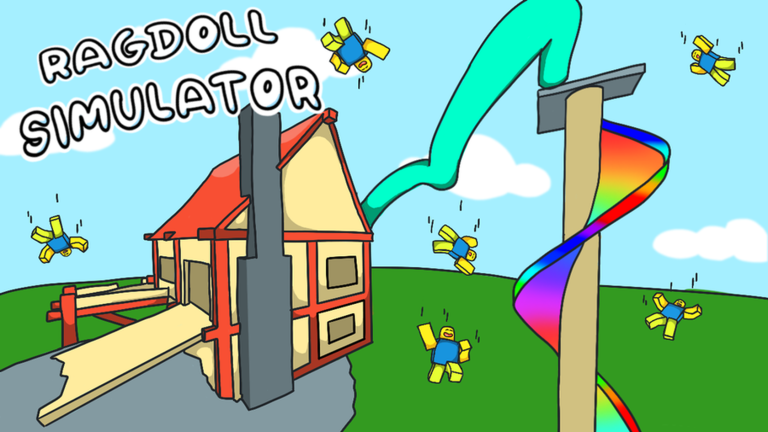
Studio Koi Koi’s Mega Update (27 May 2023) added an in-experience freecam control in the top-right UI, plus a settings option to hide other characters for lag relief and roleplay clarity. This is not the Roblox Studio admin freecam tied to Shift+P — that shortcut does not apply inside place 4950394908. This page explains the live camera tool, the hide-characters toggle, feedback stands, and when each helps clips versus performance.
What in-experience freecam actually is
Freecam here means a camera mode you enable from Ragdoll Simulator’s own interface — look for the control cluster in the upper-right corner after you join Ragdoll Simulator on Roblox. It detaches your view from the ragdoll body so you can orbit landmarks, scout teleport-to-top signs, and frame slide exits without walking your avatar into the shot. Creators use it for establishing shots of the infinite slide peak, treehouse silhouettes, and rocketship staging areas before they commit to a ragdoll tumble.
Do not confuse this with Roblox’s developer freecam or third-party executor “noclip” scripts. Those live outside the supported player UI and carry account risk — see Script Safety if friends mention them. The official tool ships with the experience and respects the same session rules as Safe Mode and Anti-Gravity.
How freecam differs from first person (T / Y)
First person locks the camera to your avatar’s head while you still control movement verbs documented on PC Controls and Xbox Controls. Freecam floats the camera independently. Use first person when you need to read HUD signs or navigate tight treehouse paths. Use freecam when you want a cinematic orbit around a friend mid-fling or when you are scouting a clip line before enabling ragdoll.
VR players should treat freecam as a desktop-first affordance unless Studio Koi Koi adds a headset-specific mirror — verify on-screen prompts via VR Controls before assuming parity.
Hide other characters — lag and roleplay
The Mega Update also added a settings toggle to hide other players’ characters. Official motivation: reduce visual clutter on busy public servers and cut lag spikes when dozens of ragdolls pile near the slide mouth or Jose’s Car Shop. Roleplay groups use the same toggle to film cleaner duo shots without strangers walking through frame.
Trade-offs matter. Hiding characters removes social context — you will not see approaching Force Push threats until effects land. Keep Safe Mode literacy when you hide bodies but stay in public lobbies. For pure exploration tutorials, hiding extras can feel like a private server without paying for one.
Feedback stands and the pencil message
Across 2024 updates, Studio Koi Koi repeatedly pointed players toward feedback stands and a top-screen pencil message for bug reports, toy ideas, and control complaints. If freecam feels stuck, hide-characters fails to apply, or a new car from the Mega Update desyncs, use those in-experience channels instead of posting fake “admin commands” in chat.
Feedback stands complement wiki pages like Update History — the wiki explains what changed; the stand tells the studio what still feels broken on your device.
When to use freecam for clips
Strong use cases:
- Orbit a friend’s boxing-glove gag without ragdolling yourself into frame
- Preview infinite-slide landing zones before you film a third-person tumble
- Capture rocketship meetup staging for Zombie Event promos
- Teach newcomers landmark names while your body stays parked in Safe Mode
Weak use cases:
- Replacing movement skill — you still need ragdoll timing for actual gameplay
- Harassing players by hovering inches from their camera — that is griefing even without pushes
- Chasing “admin fly” fantasies — unsupported scripts remain a ban path
The mid-article video shows freecam-style exploration energy; treat it as mood reference, not a binding tutorial for every platform chrome layout.
When hide-characters helps lag
Enable hiding when:
- Public servers stutter near the slide lip during peak hours
- You are recording voice-over tutorials and only need your own ragdoll
- Mobile or low-end PC clients overheat with full avatar counts
Disable hiding when:
- You are learning social physics and need to see who owns Force Push
- Your group runs consented push wars — situational awareness beats FPS
- You are teaching Beginner Tips and newcomers need to see friendly avatars
Pair hide-characters with the Controls Cheatsheet when you swap between clip mode and normal play mid-session.
Suggested freecam practice drill
- Join place 4950394908 with Safe Mode on.
- Locate the top-right freecam control before moving.
- Orbit spawn flat ground for thirty seconds — note UI exit path.
- Return to gameplay camera; ragdoll once to confirm you did not soft-lock input.
- Toggle hide-characters in settings; observe FPS and social awareness delta.
- Visit a feedback stand; note pencil message location for future bug reports.
- Film one short clip, then disable freecam before joining a public pile.
Related reading
Controls Hub · Safe Mode and Anti-Gravity · VR Controls · Update History · Controls Cheatsheet
Freecam and hide-characters are session-quality tools, not cheat codes. Use them to learn the map, film consented comedy, and report issues through official feedback channels — then return to ragdoll verbs when the camera work is done.
Frequently Asked Questions
Quick answers players ask before jumping into the sandbox.
Is freecam the Roblox admin Shift+P camera?
No. Ragdoll Simulator freecam is an in-experience top-right UI tool, not the Studio admin shortcut.
When did freecam arrive?
The Mega Update on 27 May 2023 added in-experience freecam and hide-other-characters settings.
Why hide other characters?
It reduces lag and visual clutter on busy servers and helps cleaner roleplay or clip shots.
Where do I send feedback about broken camera tools?
Use in-experience feedback stands and the top-screen pencil message Studio Koi Koi highlights in update notes.
Should I use freecam while learning ragdoll?
Use it for scouting and clips; learn F/X ragdoll toggles on flat ground before relying on detached camera views.