Ragdoll Simulator How to Play
A complete first hour in Frobulate's ragdoll physics sandbox.
Ragdoll Simulator is not a quest checklist game. Your win condition is expressive physics play: tumble, recover, explore attractions, and optionally trigger limited events with friends. This how-to-play guide turns that sandbox into a clear first-session plan. Watch the mid-article gameplay overview, then copy the steps in Ragdoll Simulator on Roblox.
Step 1 — Join and survive spawn
Enter the experience and expect to start falling after Studio Koi Koi’s spawn adjustments. Locate the left HUD immediately: shield for Safe Mode, reset for new spawn discovery. If you land in a pile of players, reset once and enable Safe Mode. Confirm the place name matches Ragdoll Simulator by Frobulate — lookalike titles waste your first ten minutes.
Step 2 — Learn the verbs
PC: F ragdoll, T first person, R Anti-Gravity. Xbox: X / Y / B. VR: right-hand aim plus right joystick. Full detail: PC Controls, Xbox Controls, VR Controls, Controls Cheatsheet. Practice each verb on flat ground before you touch the infinite slide.
Step 3 — Build a navigation loop
Find a teleport-to-top sign, ride the infinite slide once with Safe Mode on, then branch toward the treehouse and rocketship using Explore the Map and Map Attractions. First person (T / Y) helps you read signs; third person helps you enjoy flings.
Step 4 — Social settings
Decide Safe Mode policy. Keep it on while learning; turn it off only when your friend group wants Force Push comedy. Read Safe Mode and Anti-Gravity so you know what the shield actually filters.
Step 5 — Optional spends
After thirty competent minutes, consider Force Push (15 Robux) or Jetpack (100 Robux). Full roster: Game Passes. Ranked advice: Pass Tier List. Skip promo-code videos — this place has no redeem loop (Codes).
Step 6 — Friend content
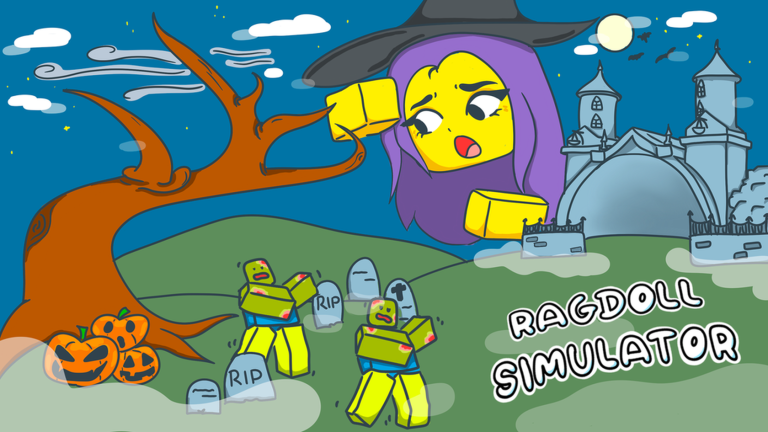
When you have three friends online, attempt Zombie Event near the rocketship / Jose’s Car Shop during live windows. Until then, toys and attractions from Toys Guide are enough spectacle.
Step 7 — Review and deepen
Compare expectations with Review. Pick device-specific drills from Beginner Tips. Recheck Studio Koi Koi news after patches so controls or toys changes do not surprise you.
First-hour mistakes to avoid
- Mashing ragdoll on every staircase before you can walk a straight line
- Buying Strength Potion before you understand Force Push
- Following Ragdoll Simulator 2 code lists
- Pasting scripts on a main account (Script Safety)
- Ignoring reset when spawn-falling leaves you under the map vibe
Platform-specific first sessions
Desktop players should pin the keyboard table from PC Controls. Console players should confirm face-button verbs in Xbox Controls before entering a crowded public server. VR players should complete the comfort checklist on VR Controls with Safe Mode glued on.
What “good” looks like after one hour
You can toggle ragdoll without panic, recover with reset, ride the slide once on purpose, name two landmarks, and explain Safe Mode to a friend. That baseline unlocks every other hub on this wiki — Items, Events, Tier List, and Scripts caution pages included.
Keep this tab nearby
How to Play is the spine. When you get lost, return here, then jump sideways to Map or Controls child pages instead of doomscrolling unrelated Roblox “simulator codes” results.
Platform quick-start matrix
On PC you live on F for ragdoll, T for first person, and R for Anti-Gravity. On Xbox the same verbs map to X, Y, and B. In VR you aim with the right hand and travel with the right joystick. Memorize the verbs before the labels so hopping devices does not erase your session plan. Deep tables live on PC Controls, Xbox Controls, and VR Controls.
Attraction literacy before spending
Ride the infinite slide once with Safe Mode on. Note plinko stairs as a rhythm puzzle, not a deathtrap. Peek at the treehouse for vertical comedy and the rocketship for meetup geography. Only after that lap should you open Game Passes Guide and consider Force Push at 15 Robux or Jetpack at 100.
Friend onboarding script
When you invite someone new, send place ID 4950394908, tell them to find the left-HUD shield in the first thirty seconds, and ban discussion of “codes” until they read Codes Hub. That three-line briefing prevents half of all first-session rage quits.
What “done” looks like tonight
You do not need a level-up screen. Tonight is done when you can tumble, recover, find a teleport-to-top sign, and explain that Studio Koi Koi’s sandbox has no promo redeem box. Tomorrow you can chase the duck, toys, or a four-player zombie staging via Zombie Event Guide.
How-to-play graduation test
Graduate from this guide when you can do the following without notes: enable Safe Mode, toggle ragdoll, switch first person, pulse Anti-Gravity, reset on purpose, ride the slide once, name Jose’s Car Shop and the rocketship, and explain why RS2 codes do not apply. That is the whole exam. Everything else is elective depth.
If you fail one item, rerun only that step. Do not restart the entire lore. Then teach the exam to one friend — teaching locks the verbs in. After graduation, pick an elective: Toys Guide, Zombie Event, or a careful look at Pass Tier List.
Keep the mid-article video as a nostalgia bookmark, not as your only teacher. Videos show tone; this checklist proves competence inside place 4950394908.
Frequently Asked Questions
Quick answers players ask before jumping into the sandbox.
Is there a main quest?
No. The game is a physics sandbox with optional events and attractions.
What should I do first?
Enable Safe Mode, learn ragdoll toggles, then ride the infinite slide once.
Does the game have codes?
This Ragdoll Simulator does not use a promo-code redeem system.
Can I play in VR?
Yes. See VR Controls for right-hand aim and joystick movement.
Where do I meet for zombies?
Near the rocketship / Jose's Car Shop with three friends when the event is available.